Define the service before the time slot
State duration, price or quote requirements and what the customer needs to prepare. Separate services that take different amounts of time so availability can reflect the work involved.
Appointment booking websites for service businesses
A useful service website explains what the appointment includes and how a time is confirmed. Start with clear service information, then choose between staff-handled enquiries and an online booking flow.
Build and edit free. An active eligible plan is required to publish.
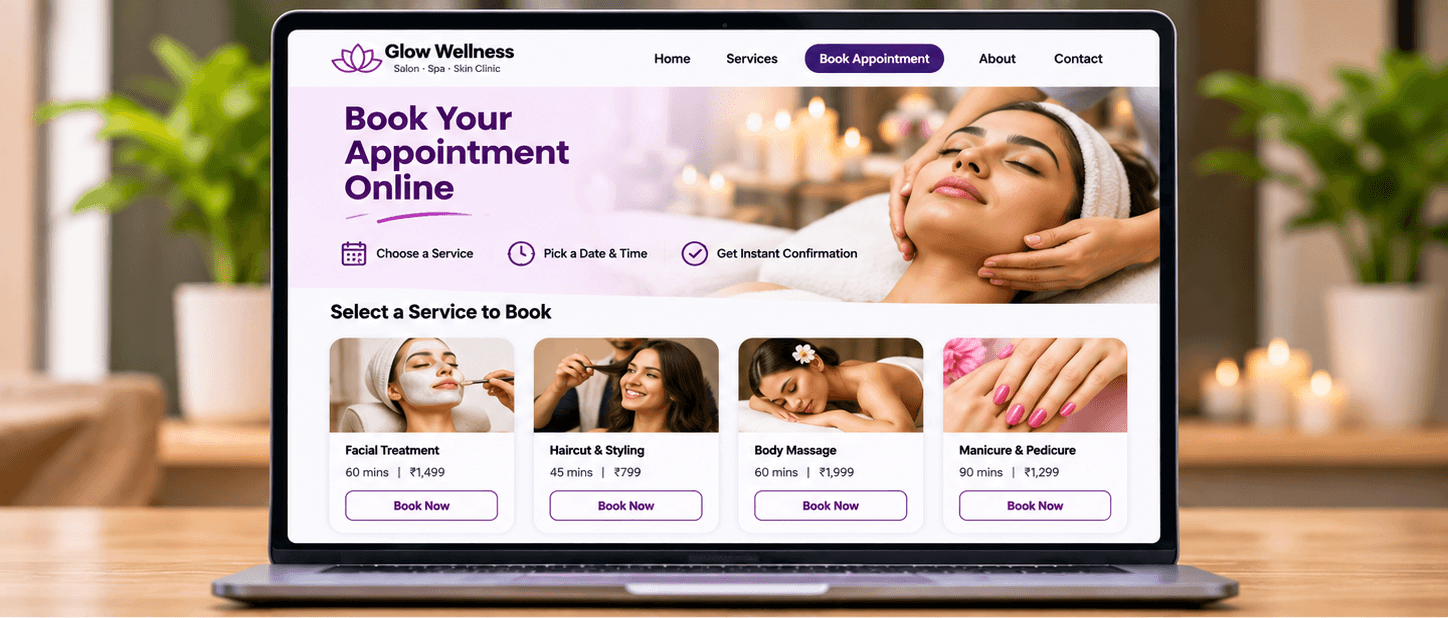
Make the page useful
State duration, price or quote requirements and what the customer needs to prepare. Separate services that take different amounts of time so availability can reflect the work involved.
With contact links, your team checks availability and confirms the time. ShopFront's separate booking capability offers a service-and-time selection flow; check availability and plan requirements on the E-Commerce page.
Publish the business's own cancellation and rescheduling rules before a customer commits. Keep staff availability and service details current, and test the complete customer flow before launch.
Before you build
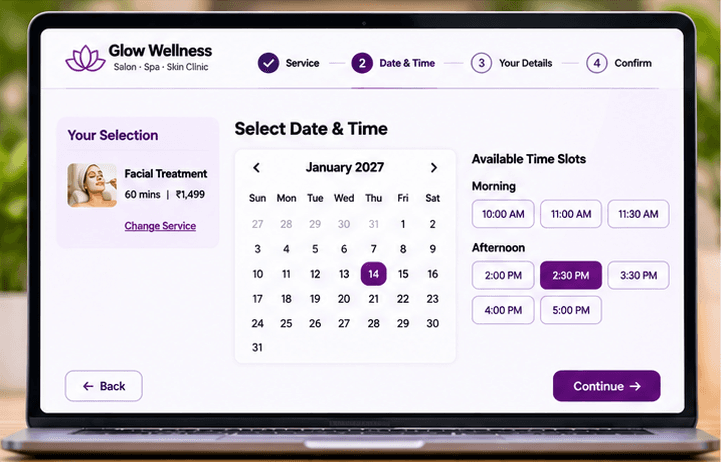
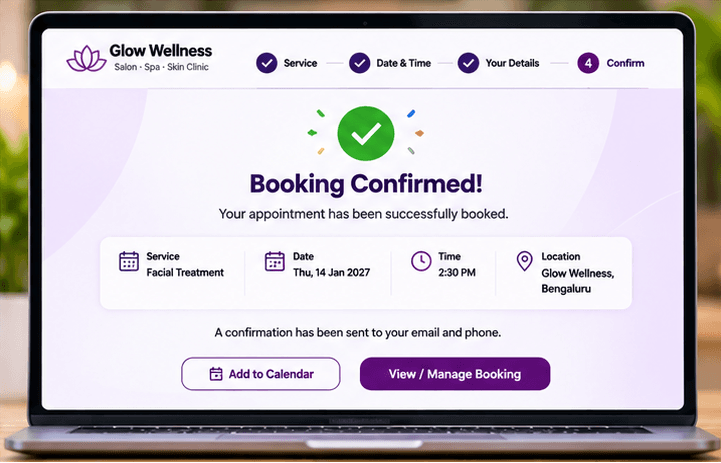
Choose a template, add your business content and preview the result. Keep later edits in a draft until you are ready to publish them.
Start with the page allowance you need. Review current plans for publishing, custom-domain and email entitlements before choosing your setup.
Compare current plansNo. A contact link opens a conversation. Your team needs to confirm the appointment unless the customer has completed an available online booking flow.
Yes. Create the service pages and contact path first. Review the E-Commerce page for booking availability before offering customers online time-slot selection.
Create a salon website with services, prices, team information, photos and appointment enquiry links using ShopFront.
Create a clinic information website with practitioner profiles, services, consultation hours and contact details using ShopFront.
Build a gym website with facilities, class information, trainers and membership enquiry links using ShopFront.
Explore the editor, prepare your content and choose a plan when you are ready to publish.
Start building free