E-Commerce
Sell products and take bookings from your own website.
A catalogue, orders, appointments with the person the customer chooses, discount codes and GST invoices, all in one dashboard. Customers pay into your own Razorpay account. Everything on this page is ₹199/month.
How it works
- 1
Add what you sell
Add products and services in the Catalogue with photos, prices, GST rate and stock. Or bring them in from an Excel, CSV or Google Sheet file.
- 2
Put it on your site
Place a product grid, an Add to cart button or a Book button on any page. Your shop page, product pages and checkout are made for you.
- 3
Get orders and bookings
Customers pay online, on delivery or later, as you allow. Orders and bookings arrive in your dashboard, and customers get confirmation emails with their invoice.
See it inside ShopFront
Real product screens. Open any screenshot at full size to explore the details.
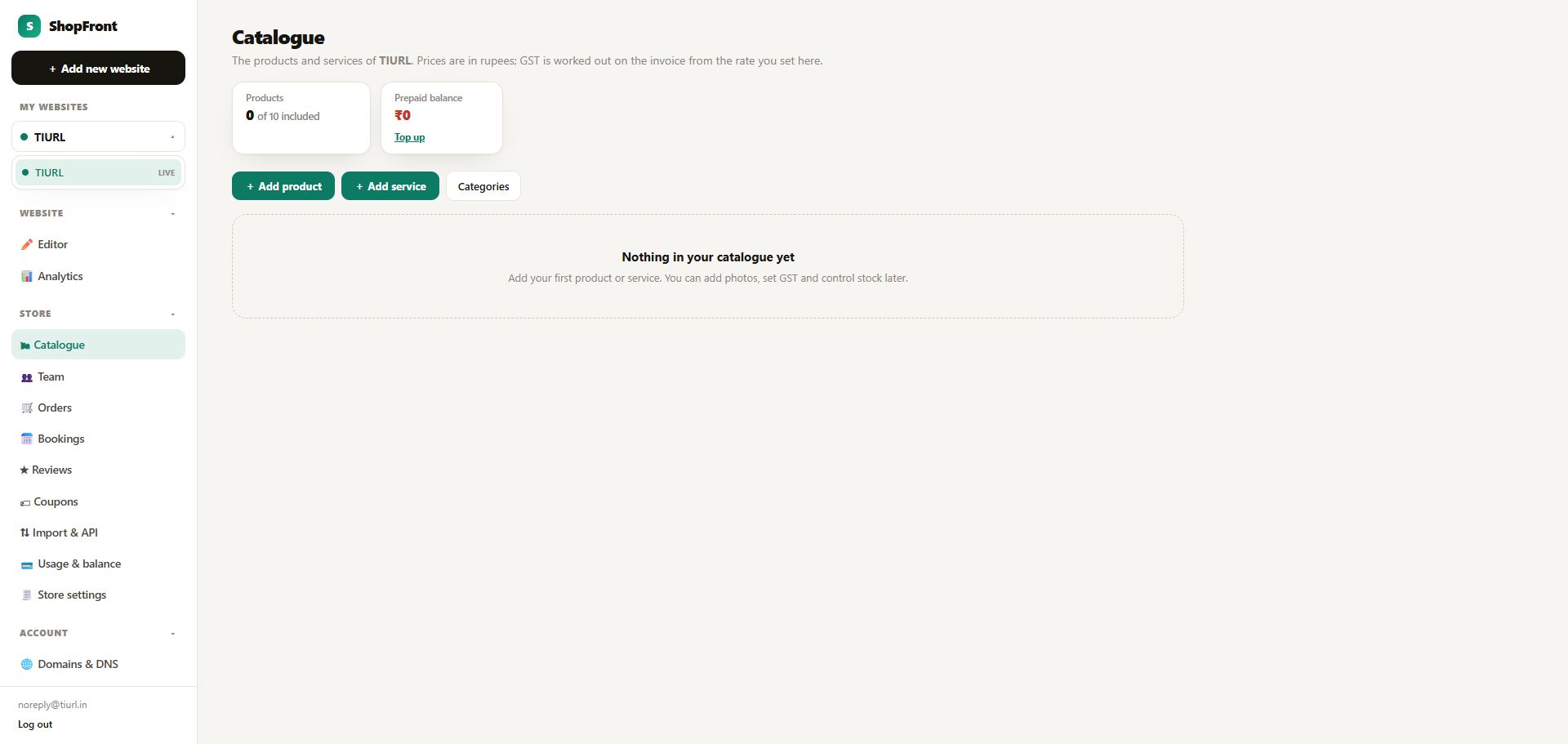
Start with your catalogue
A catalogue before its first item is added: choose Add product or Add service, and organise categories from the same screen.
 Open full-size screenshot (new tab) ↗
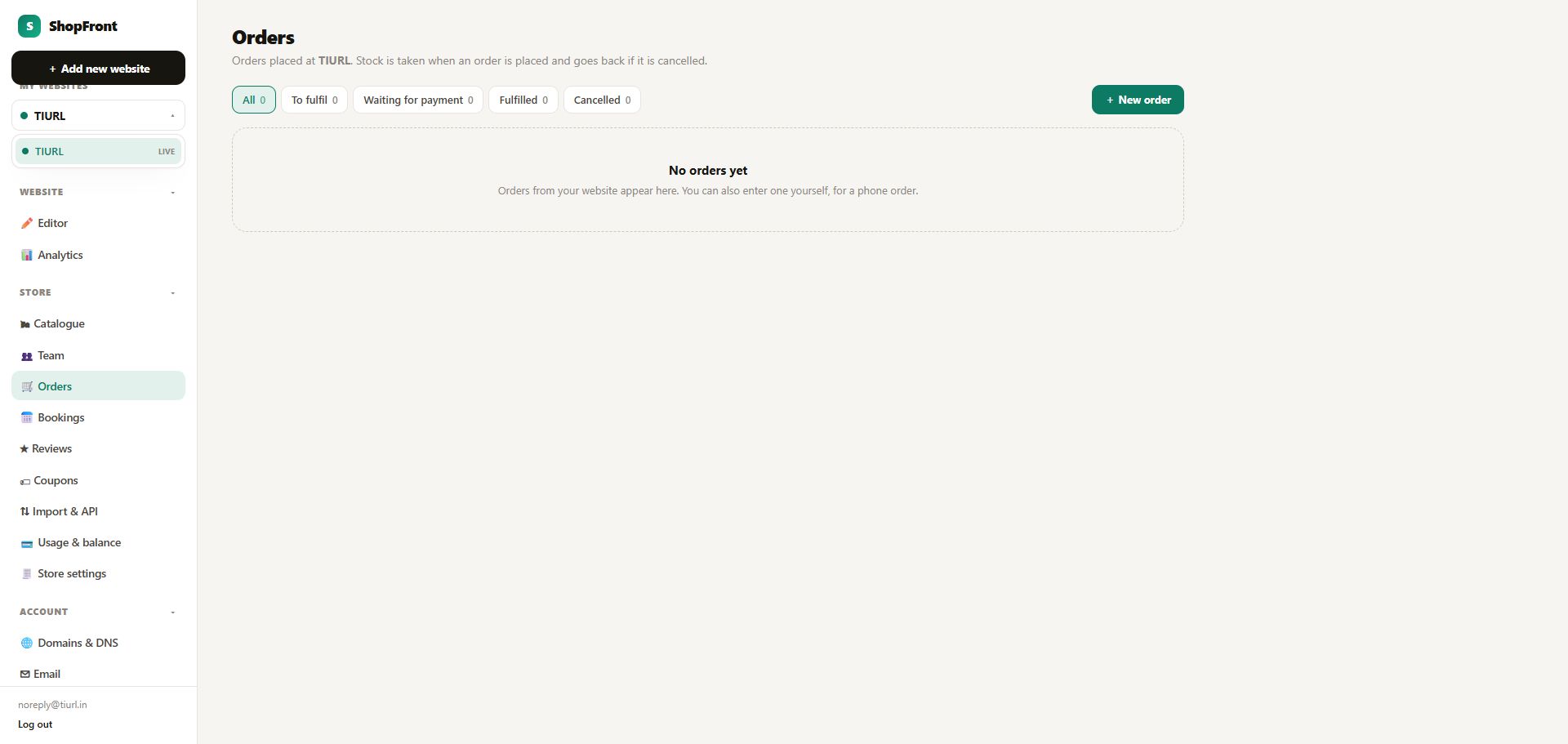
A dedicated view for orders
The orders screen before any orders arrive, with filters for fulfilment, payment and cancellations, plus a New order action for manual entries.
 Open full-size screenshot (new tab) ↗
Everything in the Store menu
Catalogue
Products and services with photos, prices, GST rate and HSN or SAC code, stock, minimum and maximum order quantity and categories. Each item gets a page of its own that search engines can read.
Team
Add the people who take bookings: each with their working days and hours, the services they do, a daily booking limit and time off. Up to 100 people.
Orders
Customers add to cart and check out. You see every order and can mark it paid, packed or delivered, cancel it or refund it, and enter phone orders yourself. Stock is taken when an order is placed.
Bookings
Customers pick a service, a person and a free time. See the day and week calendar, confirm, mark done or no-show, cancel, and take a deposit or the full amount. One person can never be booked twice for the same time.
Reviews
Customers review a completed booking. You see a score for each person, can reply, and can hide a review. Nobody can edit a review.
Coupons
Percent or fixed discount codes with a minimum spend, a maximum discount, dates and use limits, and one use per customer if you want.
Import & API
Upload products, stock and coupons from CSV, Excel or a Google Sheet, with a preview first. Keep a Google Sheet in sync on a schedule, or connect your own systems through the API.
Usage & balance
See what is included, what you have used this month, your prepaid balance and your top-up history. Top up when you go beyond what is included.
Store settings
GST and invoice details, shipping and other charges, opening hours and closed days, how far ahead people can book, your Razorpay account, and the emails that go out.
What it costs
The store add-on goes on top of the 5 Pages + Email plan. Together with 5 Pages + Email that is ₹298 a month. Extra products and bookings are paid from a prepaid balance you top up; what is included keeps working at zero balance.
The store add-on
₹199/month
Or ₹1,990 a year. Everything on this page. Includes 10 products, 50 bookings every month and up to 100 team members.
More products
₹1
per extra product, per month, beyond the first 10.
More bookings
₹2
per extra booking, paid from a prepaid balance you top up. A pack of 25 bookings costs ₹50.
Questions, answered
Can I sell online today?
Yes, with the store add-on. Build your website, add the add-on from your dashboard, then add your products.
How do I get paid?
Customers pay through your own Razorpay account, so the money goes straight to you and we do not hold it. You can also allow cash on delivery or pay later.
Do I need a Razorpay account?
To take online payments, yes: you paste your key id and secret in Store settings, and we check them. Without one you can still accept orders and bookings and collect the payment yourself.
Does it work with GST?
Yes. Set a GST rate on each item. Invoices show CGST and SGST or IGST depending on the customer's state, with an invoice number series you set. An invoice is a tax invoice only when GST is switched on and your GSTIN is filled in.
What happens when I go over what is included?
Each extra product costs ₹1 a month and each extra booking ₹2, paid from your prepaid balance. Nothing is ever deleted. At zero balance only what would cost money pauses, and everything included keeps working.
Can I move my products from a spreadsheet?
Yes. Upload a CSV or Excel file or paste a Google Sheet link. You always see a preview before anything is saved, and sending the same file again is harmless.
Can customers cancel or change a booking?
Yes, until the cancellation window you set closes, up to three times, and only to a time at the same price. Refunds for online payments are made by you from your dashboard.
What is not included yet?
Credit notes for refunds, partial refunds, size and colour options on products, WhatsApp messages and a second payment provider. These are not built yet.