Build a collection visitors can browse
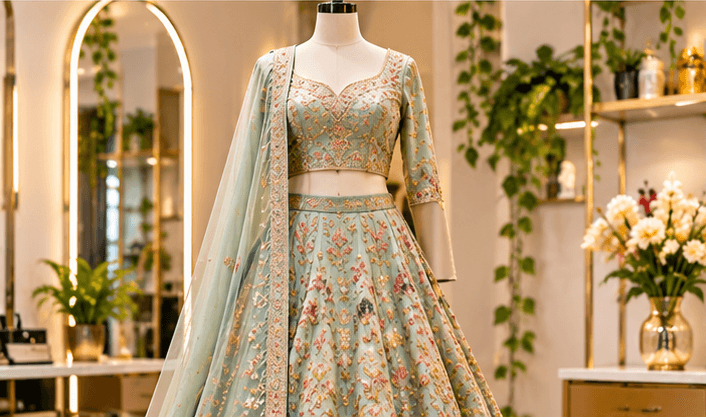
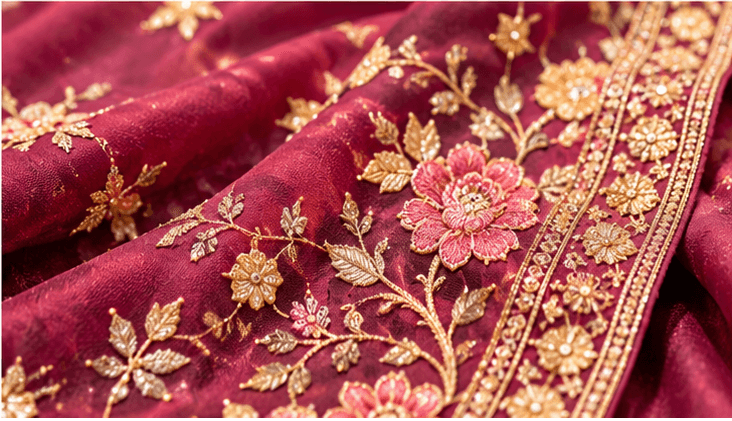
Group garments by collection or occasion. Pair full-outfit photos with fabric details so visitors can understand texture, finishing and styling before asking about an item.
Website builder for boutiques and clothing businesses
A boutique website brings your collection, shop details and enquiry process into one place. Show the clothing well and explain how customers can check sizes, availability and fitting arrangements.
Build and edit free. An active eligible plan is required to publish.

Make the page useful
Group garments by collection or occasion. Pair full-outfit photos with fabric details so visitors can understand texture, finishing and styling before asking about an item.
Explain measurements, alteration arrangements and whether an item is ready-made or made to order. Keep delivery and return information specific to your business.
A gallery and contact link work for an enquiry-led boutique. If you need product prices, stock and a cart, use the separate commerce capability and check its availability before offering online checkout.
Before you build
Choose a template, add your business content and preview the result. Keep later edits in a draft until you are ready to publish them.
Start with the page allowance you need. Review current plans for publishing, custom-domain and email entitlements before choosing your setup.
Compare current plansYes. Use galleries and descriptive text, then direct customers to your shop or contact link. A gallery does not automatically manage stock or checkout.
Yes. Update the photos and descriptions in a draft, preview the page and publish when the new collection is ready.
Plan an online product catalogue with clear photos, product details and categories. Explore ShopFront's catalogue and commerce capabilities.
Create a jewellery website with collection galleries, craftsmanship photos and clear product enquiry details using ShopFront.
Give website visitors a direct way to contact your business on WhatsApp. Add clear enquiry links and service information with ShopFront.
Explore the editor, prepare your content and choose a plan when you are ready to publish.
Start building free